
TextMe Up Calling & Texts
TextMe, Inc.Communication
4.210.91K Reviews
- Version
- 3.55.0
- Installs
- 10.00M
- Age Rating
- Everyone
Screenshots
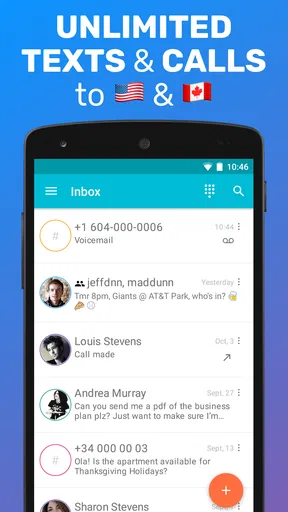
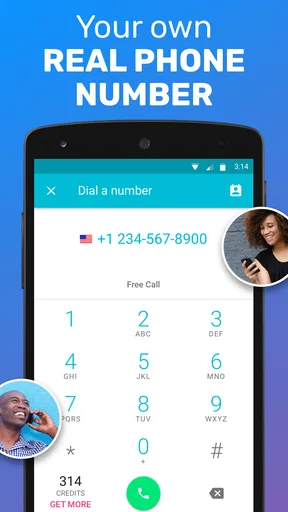
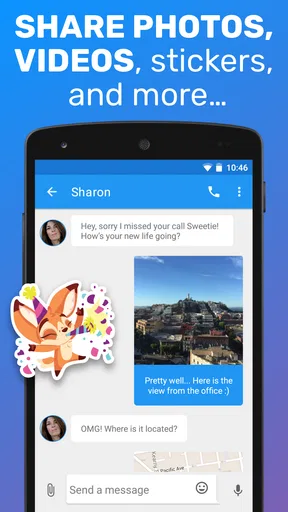
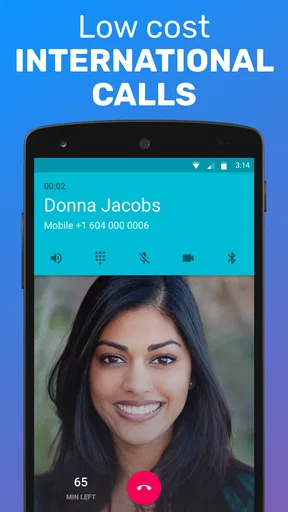
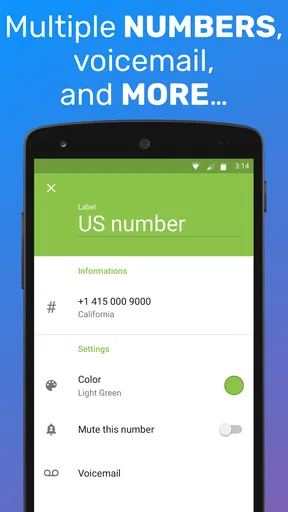
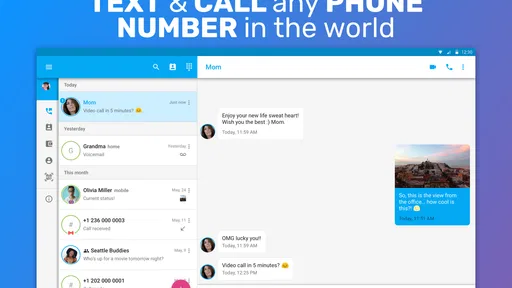
Our Review of TextMe Up Calling & Texts
 Analysis by Appyee
When I’m deciding whether to add another communication app to my phone, I want to know two things: what I can do without paying and where the free experience stops being a good fit. TextMe Up is built around having a phone number for calls and texts, with the option to keep multiple numbers in one account. That makes it more interesting than a basic chat app, but it also means I’d check whether its number-based approach suits the people I need to reach.
What the price does—and doesn’t—tell you
TextMe Up is free to download, while optional in-app purchases range from $0.99 to $79.99 per item. I’d treat that as a reason to look carefully at what I actually need before buying anything, not as a promise that every calling or texting situation will be free. The price range alone doesn’t tell me which purchase would suit my use, so I would start with the free experience and consider spending only if a specific need comes up.
That distinction matters because an app can be free to install without every possible use being cost-free. If you mainly want to try a separate number or see whether the interface works for you, there’s little reason to decide on a purchase in advance. If you expect to rely on it regularly, check the purchase options in the app and make sure the value makes sense for your own calling and messaging habits.
Where a second number can be genuinely useful
A separate number can make everyday communication easier to organize. For example, I might use one for conversations with clients and another for personal contacts, so I can keep those groups distinct without carrying a second phone. Someone selling an item online could also prefer giving out an alternate number rather than their main one. That is a practical boundary, though it is not a guarantee of anonymity or protection from unwanted contact.
There’s a useful workflow here: decide what each number is for before handing it out, then keep that purpose consistent. If a number is for short-term enquiries, avoid using it as the contact for accounts or relationships you expect to keep long term. The advantage of multiple numbers is easier separation; the trade-off is that you need to remember which number you shared with whom.
For travel or cross-border conversations, the ability to choose numbers from different regions may sound appealing. I’d still check whether the people I want to reach can contact that number in the way I expect. A different regional number can help with how you present a contact point, but it shouldn’t be mistaken for a guarantee that every call, text, or destination will work the same way.
A realistic day with the app
Imagine I’m arranging a weekend repair job and don’t want new customers contacting my personal number indefinitely. I could give them a separate TextMe Up number, handle calls and messages there, and keep family conversations on my usual line. If the work becomes ongoing, I can decide whether that number is worth keeping for that purpose. If it was only a one-off arrangement, I can at least avoid mixing those conversations into my personal messaging routine.
The benefit in that scenario is organization, not magic. I still need to check messages on the right number and reply from the right place. Before sharing a number, I’d send a quick test message to a trusted contact and confirm that replies arrive where I expect. That small step is especially worthwhile when I’m using a number for something time-sensitive, such as coordinating a meeting or delivery.
How it differs from a regular phone line or chat app
Compared with relying only on a standard mobile number, TextMe Up’s appeal is the ability to keep multiple numbers in one account. That can be more convenient than carrying another handset for a second line. A traditional carrier line may be a better choice when I need the normal account support and dependable service arrangements tied to my mobile plan. Which option makes sense depends on whether separation or a conventional phone service matters more to me.
It also isn’t the same kind of tool as a messaging app where everyone needs an account on the same service. A phone-number-based approach can be handy when I want to reach people through calls or texts rather than persuade them to join another chat platform. On the other hand, if my friends and family already use one messaging service and mostly communicate there, switching between apps and numbers could add needless friction.
I would not choose it as a replacement for every communication need. If I need a number for critical work, urgent contact, or anything where missing a call would cause a serious problem, I’d compare it with the dependable service I already have rather than assume an app-based number is equivalent. TextMe Up is better considered as an extra communication option than an automatic substitute for a primary line.
Small habits that make multiple numbers easier
Multiple numbers are only helpful if I can keep them straight. I’d label each one in my own routine—work, personal, or temporary—and avoid giving the same number out for unrelated purposes. That makes it easier to recognize why someone might be contacting me and to decide which conversations deserve a reply. It also reduces the chance of using the wrong number when I start a conversation.
I’d also think about continuity before using a number for anything important. If an employer, school, or long-term contact needs a stable way to reach me, I would use the number I expect to retain and check regularly. A number used for a short-lived purpose is better suited to casual enquiries than to essential account recovery or ongoing responsibilities.
For media messages, I’d consider the recipient’s expectations and my own data connection before sending large photos or videos. Multimedia can make a conversation more useful than plain text, but it can also be unnecessary when a short written description would do. Keeping messages focused is a simple way to make a secondary number manageable rather than turning it into another noisy inbox.
What to weigh before making it your main option
The biggest practical trade-off is convenience versus dependence. One account holding more than one number can simplify separation, but it also concentrates those conversations in an app. If I stop checking it or have trouble accessing it, messages directed there may be easy to overlook. I’d make sure I’m comfortable opening the app regularly before giving its number to people who need a prompt response.
I’d also be cautious about treating claims of free calling or texting as universal. Whether an app suits a particular destination, recipient, or use case is something I would verify for myself before relying on it. The sensible approach is to test the exact kind of communication I plan to use, especially before making the app my only route for an important conversation.
TextMe Up is published by TextMe, Inc. It has a 4.2 average from around 90,000 ratings, and more than 10 million installs, which suggests plenty of people have tried it. Those figures are useful context, but they don’t tell me whether the app will work well for my contacts or routine. I’d put more weight on a small personal test than on popularity alone.
Who is most likely to get value from it?
I can see it suiting people who want a distinct number for side work, online listings, or a particular group of contacts, and who are comfortable managing communications in an app. It may also appeal to anyone who wants to try a second number before deciding whether a separate line is worth the effort. The value is strongest when having separate contact points solves a real organizational problem.
It’s less compelling if I already have a simple, reliable way to separate work and personal calls, or if nearly everyone I contact prefers a single chat service. People who need a primary number for high-stakes availability should be especially careful about replacing an established line. In those cases, a conventional mobile service—or simply keeping the existing number—may be the calmer choice.
The app is rated for Everyone, and its current version is 3.51.0, with Android 7.0 or later listed as the minimum operating system. I’d check compatibility on my own device before planning a switch, and I’d remember that an age rating is not a judgment about whether it fits a particular person’s communication needs.
My practical recommendation is to start with one clear use for a second number, try the free access, and see whether the workflow feels natural. Don’t hand it out everywhere at once; test a conversation, learn where replies appear, and judge whether keeping another inbox is worth it. If that trial solves a genuine problem, the optional purchases may be worth considering for your situation. If it only duplicates how you already communicate, there’s no need to force it.
Ever stumbled upon an app that makes you go, "Why didn’t I download this sooner?" That’s exactly how I felt when I tried out TextMe Up Calling & Texts. If you're on the hunt for a fun and flexible communication app, this might just be your next download.
Getting Started with TextMe Up
Let me walk you through my experience. Installing TextMe Up was a breeze. Available on both Android and iOS, the app promises a seamless experience, and it sure delivers. Once you’ve got it on your device, you’re greeted with a simple and intuitive interface. No confusing menus or overwhelming options.
Setting Up Your New Number
One of the standout features is the ability to create multiple phone numbers. Yes, you heard that right! Need a number for work, one for personal use, and another to play pranks on your friends? TextMe Up has got your back. The setup is straightforward, and you can choose numbers from different regions, which is pretty neat if you’re into international connections.
Calling and Texting: The Real Deal
Now, onto the main event: calling and texting. The app allows you to make free calls and send unlimited texts to any number. The call quality is surprisingly clear, even on a shaky Wi-Fi connection. Texting is just as smooth. I was impressed by how quickly messages were sent and received, and the app even supports multimedia messaging. Sending pics and videos? Easy peasy!
Customization and Fun Features
What’s communication without a bit of personal flair? TextMe Up lets you customize your texting experience with fun emojis, stickers, and themes. The app’s design is customizable enough to make your chatting experience feel personal and unique. Plus, the app is constantly updated with new features, so there’s always something fresh to look forward to.
Privacy and Security: Peace of Mind
In a world where privacy is a big deal, TextMe Up doesn’t disappoint. The app provides encrypted messaging, ensuring that your conversations remain private and secure. It’s like having a secret chat room just for you and your friends.
Why TextMe Up Stands Out
So, what makes this app stand out from the crowd? It’s the combination of versatility and user-friendliness. Whether you’re managing multiple numbers or just want a simple way to communicate across borders, TextMe Up is a solid choice. It's like having a mini phone company in your pocket, without the hefty bills.
So, there you have it. If you’re looking to shake up your communication game, give TextMe Up Calling & Texts a whirl. It’s packed with features, easy to use, and most importantly, it keeps you connected without any fuss. Go ahead, download it now and see for yourself. You might just wonder how you ever got by without it!
Verdict
Strengths of TextMe Up Calling & Texts
- Easy to use interface for all users.
- Multiple numbers on one device.
- Free calling and texting options.
- Supports both SMS and MMS.
- Good call quality.
Limitations of TextMe Up Calling & Texts
- Contains in-app advertisements.
- Limited free credits for calls.
- Occasional app crashes reported.
- Some features require a subscription.
- International texting may incur fees.
Other Releases by TextMe, Inc.
View All
Text Me: Second Phone Number
Social4.1

FreeTone Calls & Texting
Social4.1
Similar Picks in This Category
View All
Google Messages
Google LLC4.6

Gmail
Google LLC4.1

Google Meet
Google LLC4.4

Google Chrome
Google LLC4.1

WhatsApp Messenger
WhatsApp LLC4.6

Carrier Services
Google LLC4.2
Frequently Asked Questions
What features does TextMe Up Calling & Texts offer?
TextMe Up Calling & Texts provides users with free texting and calling capabilities. It allows you to send texts to any number globally and make free calls to other TextMe Up users. Additionally, you can customize your phone number, manage multiple numbers in one account, and enjoy voicemail services.
Is TextMe Up available for both Android and iOS devices?
Yes, TextMe Up Calling & Texts is available for download on both Android and iOS platforms. You can find it on the Google Play Store for Android devices and the Apple App Store for iOS devices, ensuring compatibility with a wide range of smartphones.
How does TextMe Up handle privacy and data security?
TextMe Up prioritizes user privacy and data security by implementing encryption and secure servers to protect your communications. The app ensures that your messages and call logs are private, and it complies with relevant data protection regulations to safeguard your personal information.
Are there any costs associated with using TextMe Up?
While TextMe Up offers free texting and calling to other users, there may be costs associated with calling non-TextMe Up numbers, especially international ones. The app provides in-app purchases and offers credit packages to cover these calls. It’s advisable to review their pricing details for specific rates.
Can I use TextMe Up without Wi-Fi or mobile data?
TextMe Up requires an active internet connection, either through Wi-Fi or mobile data, to function. Without internet access, you won't be able to send messages or make calls. Ensure you have a stable connection to use the app effectively.
